A leather laptop bag for office use should help you move smoothly between your commute, desk and meetings. A professional appearance matters, but so do laptop fit, accessible storage and carrying comfort. The most useful bag is one that accommodates your regular work essentials without becoming awkward to pack or carry.
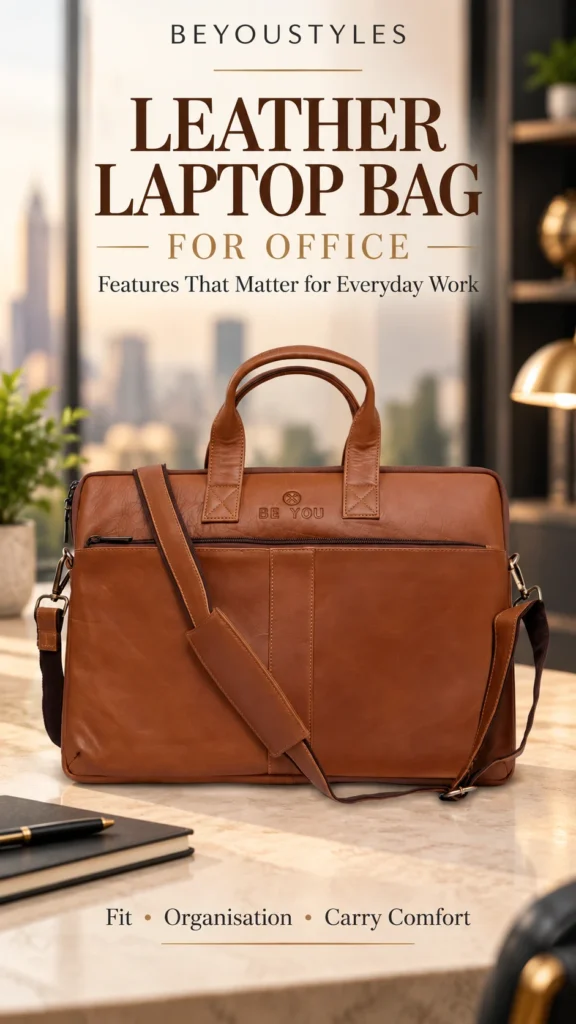
The Beyoustyles Black Full-Grain Leather Laptop Bag is an option to consider for that routine. Its listed features include two main compartments, an interior zip pocket, a front compartment and two carrying options. Before choosing it for a 15-inch laptop, compare your computer’s body measurements with the usable internal space.
Start With What You Carry to Work
Set out the items you take to the office on a normal day. Your laptop may be the largest item, but a charger, notebook, documents and small accessories can determine how much storage you actually need.
Separate everyday essentials from occasional items. If you only carry a large folder once a month, decide whether it genuinely needs to fit in your daily bag or whether you can use another arrangement for those days.
- Closed laptop, including any protective sleeve you use.
- Charger and charging cables.
- Notebook, diary or work documents.
- Mouse, earbuds or a small accessory pouch.
- Phone, wallet, identification and keys.
A realistic packing list makes product comparisons easier. It also helps you avoid choosing a bag that fits the computer but leaves too little room for the rest of your working day.
1. Confirm Laptop Fit Before Choosing the Size
The term “15-inch laptop” normally describes the diagonal screen size. It does not tell you the exact width, depth or thickness of the closed computer. Different models can therefore require different amounts of space.
Measure your laptop across its widest points while closed. If you carry it in a sleeve, measure the sleeve with the laptop inside. Compare those measurements with the usable laptop compartment, including the opening through which the device must pass.
The target bag lists a size of 40 × 29 × 4.5 cm. Do not treat that figure as the internal laptop-compartment measurement. Ask for usable internal dimensions if they are not supplied, and allow room to insert and remove your device without forcing it.
A well-chosen fit should also account for your charger and documents. A laptop that fits on its own may still leave the bag too crowded when packed for work.
2. Choose Compartments Around Your Workday
Useful organisation is about separation and access rather than having the highest number of pockets. Give your computer its own space, keep loose accessories together and place paperwork where it can remain reasonably flat.
Two main compartments can help divide your laptop from documents or accessories, depending on the actual interior layout. A zipped interior pocket can hold smaller items together, while a front compartment may be convenient for something you retrieve regularly.
Check the interior photographs to see how these spaces connect. Avoid packing hard objects where they can press against the laptop. If dedicated padding or a retention strap is important to you, confirm that feature separately rather than assuming every laptop bag includes it.
For a closer look at storage layouts, read our guide to leather laptop bag compartments.
3. Look for Carrying Options That Suit Your Commute
Think about how long you carry your bag and what else you hold at the same time. Handles may be convenient between a car and the office. A shoulder strap may be more useful when you need a free hand for a phone, ticket or door.
Inspect the handle attachments, stitching and strap fittings in close-up photographs. Check the strap length and adjustability if those details affect how you intend to carry it. A detachable strap offers flexibility, but comfort also depends on the total load and your preferred carrying position.
Leather adds its own weight, so compare empty bag weights when the seller provides them. Remove unnecessary items before judging whether a bag is comfortable for your commute.
Our existing article on comfortable leather laptop bags explores carrying considerations in more detail.
4. Check Leather, Stitching and Hardware Together
A material description is useful, but it does not replace checking the whole construction. Examine seams, corners, handle attachments, closures and the areas that flex repeatedly.
The Beyoustyles product is described as handcrafted from 100% veg-tanned full-grain leather. Its classic black finish offers an understated option for office clothing and business accessories. Natural grain can vary between handmade leather items, so expect some variation rather than an identical surface on every bag.
Look for consistent stitching and neatly finished edges. Review photographs of the hardware as well as the leather panels. Do not infer a particular zipper brand, tested load rating or waterproof construction unless the listing explicitly confirms it.
Office Bag Features: A Practical Checklist
| Feature | Question to ask | Workday benefit |
|---|---|---|
| Laptop fit | Does the usable compartment fit my closed laptop and sleeve? | Less difficulty inserting and removing the device. |
| Main storage | Can I separate the laptop from accessories and paperwork? | A more orderly packing routine. |
| Small-item storage | Where will I keep keys, cables and identification? | Less searching through loose items. |
| Handles and strap | Do the carrying options suit my commute? | Greater flexibility between locations. |
| Loaded profile | Will the bag close without pressure or bulging? | A manageable shape for daily carry. |
| Construction | Are stitching, attachments and closures clearly shown? | A better-informed buying decision. |
How the Beyoustyles Black Bag Fits This Checklist
The product listing specifies:
- 100% veg-tanned full-grain leather in classic black.
- Reinforced leather handles and a detachable leather shoulder strap.
- Two main compartments and one interior zipper pocket.
- One large quick-access front compartment.
- A listed size of 40 × 29 × 4.5 cm.
Use those details as the starting point for comparison. Confirm internal fit, any laptop padding and current availability before ordering. The listed dimensions alone do not establish that every 15-inch computer will fit.
Pack for Easy Access and a Manageable Load
Put the items you need first in places you can reach without unpacking the whole bag. Keep charging accessories in a small pouch if the layout does not provide dedicated storage for them. Avoid placing pens or keys loose beside the computer.
Do a quick check at the end of the week. Remove old paperwork and accessories you no longer use. A practical office bag should carry your working essentials, not gradually become storage for everything you might need.
If you carry drinks or food separately, keep them away from electronics. Do not assume a leather bag will protect contents from spills or heavy rain; check the listing for any specific weather-resistance claims.
Keep the Bag Ready for Everyday Work
Wipe surface dust with a soft cloth, avoid soaking the leather and let a damp bag dry naturally away from direct heat. Follow the care instructions for its particular finish before applying a conditioner or cleaner.
Store it without heavy objects pressing it out of shape. Avoid overfilling the compartments or forcing closures around bulky contents. Regularly inspect the handle and strap attachment points so that you notice wear early.
Choose the Features You Will Use Every Day
The right leather laptop bag for office use combines a confirmed device fit with an interior layout and carrying options that suit your routine. Start with measurements and a realistic packing list, then compare construction and appearance.
Explore the Beyoustyles Black Full-Grain Leather Laptop Bag for office work and check its current specifications against your laptop and work essentials. You can also browse the leather laptop bags collection to compare available designs.
Frequently Asked Questions
What matters most in a leather laptop bag for office use?
Start with laptop fit, practical organisation and carrying comfort. Then check construction, closures and whether the appearance suits your workplace.
Will every 15-inch laptop fit the Beyoustyles black bag?
That cannot be confirmed from the listed size alone. Measure your closed laptop and compare it with the usable internal compartment and opening.
Does the product listing confirm a padded laptop sleeve?
The reviewed listing describes two main compartments but does not explicitly confirm a padded sleeve. Ask for details if padding is a purchase requirement.
Should I use handles or a shoulder strap?
Choose according to your commute, load and preference. Handles can suit short carries, while a shoulder strap can free a hand when moving between locations.
Are leather laptop bags waterproof?
Do not assume they are. Waterproofing or water resistance needs a specific product claim. Protect your electronics from rain and spills.