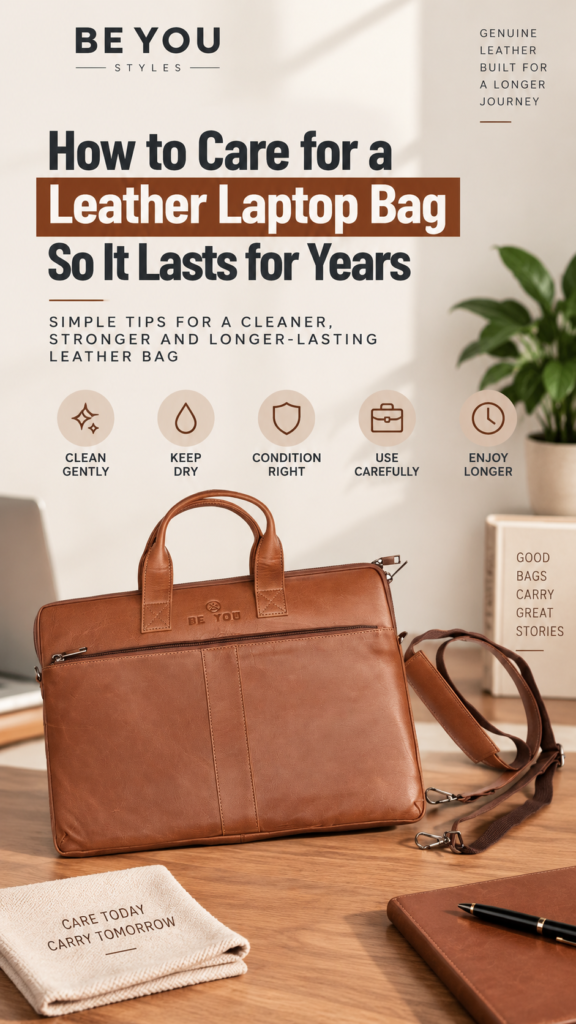
That regular use also exposes leather to dust, moisture, friction, sunlight, overloaded compartments and constant handling. Without appropriate care, even a well-made bag can begin to look tired earlier than necessary.
Fortunately, good leather laptop bag care does not require an elaborate routine. Gentle cleaning, sensible storage, careful handling and appropriate conditioning can help preserve the leather’s appearance, structure and functionality.
This guide explains how to care for a genuine full-grain leather laptop bag so you can enjoy its natural character and professional appearance for years to come.
Why Full-Grain Leather Needs Proper Care
Full-grain leather retains the natural grain surface of the hide. Rather than looking perfectly artificial and uniform, genuine full-grain leather can display natural variations in grain, texture and colour.
Those characteristics are part of the material’s appeal. With use, quality leather can also develop its own individual character.
However, leather remains a natural material. Regular exposure to inappropriate moisture, excessive heat, harsh chemicals and poor storage conditions can affect its appearance and feel.
Proper maintenance is therefore less about making leather look permanently new and more about helping it age well.
1. Empty Your Laptop Bag Before Cleaning
Before cleaning your leather laptop bag, remove everything from it.
That includes:
- Laptop
- Tablet
- Chargers and cables
- Documents
- Notebooks
- Pens
- Wallet
- Keys
- Earphones
- Other small accessories
Open the main compartments, interior pockets and exterior sections so you can check the entire bag properly.
Small objects left inside can interfere with cleaning, while pens, keys and other hard items can potentially mark the lining or surrounding material.
2. Remove Loose Dust Before Using Any Product
Start with the gentlest possible cleaning method.
Use a clean, soft, dry cloth to remove loose surface dust from the exterior. Pay particular attention to areas that are handled frequently, including the handles, flap or zipper area, corners and shoulder-strap attachment points.
For the interior, gently remove loose debris from pockets and compartments. A soft brush, dry cloth or suitable low-suction handheld vacuum can be useful for the lining.
Removing loose particles first reduces the risk of rubbing grit across the leather during later cleaning.
3. Never Soak a Full-Grain Leather Laptop Bag
A leather laptop bag should not be treated like a washable fabric bag.
Avoid soaking the leather in water or placing the bag in a washing machine. Excessive moisture can affect the leather, construction and shape of the bag.
If the exterior becomes wet from light rain or an accidental splash, remove excess surface moisture gently with a clean absorbent cloth. Do not scrub aggressively.
Then allow the bag to dry naturally in a well-ventilated location.
4. Keep Wet Leather Away From Direct Heat
Trying to dry a wet leather bag as quickly as possible can cause another problem: excessive heat.
Do not place a damp leather laptop bag directly beside a radiator, heater or other strong heat source. Avoid attempting to speed up drying with intense hot air.
Instead, allow it to dry naturally at room conditions with reasonable ventilation.
Patience is safer than trying to force the drying process.
5. Use Only Leather-Appropriate Cleaning Products
One of the most important rules of leather care is not to experiment with random household products.
Avoid products such as:
- Hand sanitizer
- Rubbing alcohol
- Perfume
- Harsh household cleaning sprays
- Alcohol-based wipes
- Furniture polish
- Cooking oils
- Strong soaps not intended for the leather finish
Products that work on kitchen counters, furniture or other materials are not automatically suitable for full-grain leather.
If deeper cleaning is required, choose a product specifically intended for the particular leather finish and follow its instructions carefully. Test an unfamiliar product on a small, inconspicuous area first.
6. Condition the Leather Appropriately
Conditioning can form part of long-term leather maintenance, but it should not be treated as something that must be done constantly.
For the Beyoustyles Black Full-Grain Leather Laptop Bag, our care guidance recommends applying a premium leather conditioner approximately once a year or as needed depending on usage.
Always make sure the conditioner is appropriate for the leather finish before application.
More conditioner is not necessarily better. Excessive or unsuitable product can change the leather’s appearance rather than improve it.
7. Distressed and Crazy Horse Leather May Need Different Care
Not every genuine leather finish should be maintained in exactly the same way.
For example, conditioning may alter the characteristic appearance of distressed or Crazy Horse leather. Beyoustyles therefore does not recommend automatically applying conditioner to these finishes.
This is why you should identify the type and finish of your leather before following generic advice found online.
The correct care method for a smooth full-grain office bag may not be appropriate for a distressed leather bag.
8. Protect the Shape of Your Laptop Bag
Leather care is not limited to cleaning the surface. Preserving the bag’s structure is equally important.
A professional laptop bag is designed to maintain an organised shape. Poor storage or excessive pressure can flatten its panels and create unwanted creases.
When the bag is empty, avoid placing heavy objects on top of it.
When it is being stored for a longer period, loosely support the interior with clean, soft, acid-free tissue or suitable soft paper. The goal is to support the shape—not stretch or overfill the bag.
9. Don’t Overload Your Leather Laptop Bag
A laptop bag may be strong, but that does not mean it should be packed with unlimited weight.
Repeated overloading puts unnecessary stress on:
- Carry handles
- Shoulder-strap attachments
- Stitching
- Zippers
- Hardware
- Leather panels
- The base of the bag
Carry the equipment and documents the bag is designed to accommodate rather than treating every available centimetre of space as something that must be filled.
A well-organised load also makes the bag more comfortable to carry.
10. Use the Compartments Instead of Letting Items Move Freely
Good internal organisation helps both your belongings and your bag.
Chargers, cables, documents and smaller accessories should be placed in suitable compartments rather than allowed to move freely around the main section.
The Black Full-Grain Leather Laptop Bag, for example, provides two spacious main compartments, an interior zipper pocket and a large quick-access exterior compartment.
Using those sections properly helps distribute everyday essentials in a more organised way.
If internal organisation is particularly important to you, our guide to leather laptop bag compartments explains how different sections support laptops, documents, chargers and everyday work accessories.
11. Look After the Handles and Shoulder Strap
The handles and shoulder strap are among the hardest-working components of a laptop bag.
They repeatedly support the combined weight of your laptop, documents and accessories, so inspect them periodically.
Check:
- Handle attachment points
- Stitching
- Strap clips
- Buckles
- Adjustment points
- Areas experiencing repeated friction
Addressing a developing problem early is preferable to continuing to load a visibly damaged component.
12. Keep Zippers and Metal Hardware Clean
Leather may be the most visible material, but hardware also plays an important role in the working life of a laptop bag.
Wipe zipper pulls, clips, buckles and other metal components gently with a clean, dry, soft cloth to remove surface dust.
Avoid covering zipper teeth with leather conditioner because product buildup can interfere with smooth operation.
If a zipper becomes difficult to move, first inspect it for dust, fabric or another obstruction. Do not force a jammed zipper, as this can damage the slider, teeth or surrounding material.
13. Keep Pens and Liquids Secure
Some of the most difficult marks on a work bag can come from objects carried inside it.
Keep pens capped and preferably stored in a dedicated holder or separate pouch. The same applies to markers and other items that could leak.
If you carry drinks, toiletries or other liquids, make sure their containers are securely closed and separated from the laptop and leather wherever practical.
Prevention is far easier than attempting to remove an ink or liquid stain later.
14. Be Careful Where You Put Your Bag Down
During a busy day, it is easy to place a laptop bag wherever space is available.
Before putting it down, check the surface.
Avoid:
- Wet floors
- Dirty surfaces
- Rough concrete
- Areas with spilled liquids
- Direct contact with heaters
- Long periods in strong direct sunlight
The bottom corners and base of a bag naturally receive substantial wear, so being selective about where you place it can reduce unnecessary abrasion and staining.
15. Store Your Leather Laptop Bag Properly
If you will not use the bag for an extended period, prepare it before storage.
First, remove all electronics, documents and personal items. Make sure both the exterior and interior are clean and completely dry.
Then:
- Support the shape gently with soft, clean tissue or paper.
- Place the bag in a breathable dust cover if available.
- Store it upright where practical.
- Choose a cool, dry storage location.
- Keep it away from persistent direct sunlight.
- Keep it away from damp floors and strong heat sources.
- Avoid tightly sealed plastic storage for long periods.
Correct storage is particularly important when a leather bag will remain unused for weeks or months.
16. How to Deal With Small Scratches
Full-grain leather naturally develops character with use, and minor surface marks do not necessarily mean the bag is damaged.
For a light surface mark, gentle buffing with a clean, dry, soft cloth may be sufficient.
Avoid aggressive rubbing or applying random oils in an attempt to hide a scratch. Such treatments may darken the surrounding area or create uneven colour.
Deep cuts, major scratches, damaged seams or structural problems are better assessed by an experienced leather repair professional.
17. Don’t Try to Make Genuine Leather Look Artificially Perfect
Natural variation is part of genuine full-grain leather.
Small differences in grain, texture and colour can occur because every hide is unique. Over time, regular use may also create additional character.
Leather maintenance should therefore focus on keeping the material clean, appropriately conditioned and structurally sound—not on removing every natural variation.
A quality leather bag that ages naturally can develop a distinctive appearance that reflects how it has been used.
Why Full-Grain Leather Works Well for a Professional Laptop Bag
Material selection matters when a bag is expected to handle daily commuting, office work and business travel.
Full-grain leather is valued for its strength, natural surface and ability to develop character over time.
But leather quality is only one part of a dependable work bag. Stitching, handles, hardware, compartment layout and overall construction are also important.
If professional appearance is a major consideration, read our guide on what makes a laptop bag look professional, including structure, full-grain leather, clean design and organised storage.
Leather Laptop Bag Care for Daily Office Use
A bag used five days a week does not need an intensive cleaning routine after every commute.
Instead, build simple maintenance into your routine:
- Remove rubbish and unnecessary items regularly.
- Wipe away loose dust when required.
- Deal with accidental moisture promptly.
- Check handles and hardware periodically.
- Avoid habitual overloading.
- Store the bag properly when it is not being used.
- Condition suitable leather only when needed.
Small, consistent habits are generally more useful than waiting until the bag becomes heavily soiled or neglected.
Leather Laptop Bag Care During Business Travel
Travel can expose a bag to more friction, handling and environmental changes than an ordinary office day.
Before travelling, organise your bag so heavy items do not move unnecessarily. Keep liquids securely closed, and avoid packing sharp objects directly against leather or lining.
After the journey, empty unnecessary items, remove loose dust and check the bag for moisture or marks before storing it.
Travellers who regularly carry computers, documents and work accessories should also consider the organisation and carrying design of the bag—not just its exterior appearance.
How Often Should You Condition a Leather Laptop Bag?
There is no universal schedule that applies to every leather bag.
How often conditioning is appropriate depends on the leather finish, frequency of use, environment and manufacturer’s care guidance.
For the Beyoustyles Black Full-Grain Leather Laptop Bag, a premium leather conditioner can be applied approximately once a year or as needed according to usage.
Remember that conditioning is not recommended automatically for every distressed or Crazy Horse finish because it may change the leather’s natural appearance.
Leather Laptop Bag Care: What Not to Do
For quick reference, avoid these common mistakes:
- Do not machine wash a leather laptop bag.
- Do not soak the leather.
- Do not use harsh household cleaners.
- Do not apply alcohol or sanitizer to the leather.
- Do not use cooking oil as a leather treatment.
- Do not force a jammed zipper.
- Do not apply conditioner indiscriminately to every leather finish.
- Do not dry wet leather with intense direct heat.
- Do not store the bag while damp.
- Do not place heavy objects on an empty bag during storage.
- Do not continually overload handles and straps.
Quick Leather Laptop Bag Care Routine
A practical routine can be divided into three levels:
After Regular Use
- Remove unnecessary items.
- Keep liquids and pens secure.
- Wipe away obvious dust or moisture.
- Store the bag in a dry location.
Periodic Maintenance
- Empty every compartment.
- Clean loose debris from the interior.
- Wipe the leather with a soft, dry cloth.
- Inspect handles, stitching, zippers and strap hardware.
Long-Term Maintenance
- Use an appropriate leather conditioner when needed and recommended.
- Address structural damage before it becomes worse.
- Store the bag properly during extended periods of non-use.
Choose a Leather Laptop Bag Designed for Long-Term Use
Care can help a good bag age well, but maintenance cannot compensate for poor materials or weak construction.
When choosing a work bag, consider:
- Leather quality
- Stitching
- Handle construction
- Shoulder strap design
- Metal hardware
- Interior organisation
- Laptop compatibility
- Overall structure
You can explore the complete Beyoustyles Leather Laptop Bags collection, featuring full-grain leather work bags designed for office use, commuting and business travel.
If you’re still deciding which design, size or compartment layout suits your routine, our complete leather laptop bag buying guide explains the key factors to consider before purchasing.
Frequently Asked Questions
How do you care for a leather laptop bag?
Keep the bag clean and dry, remove loose dust with a soft cloth, avoid harsh chemicals and excessive moisture, store it correctly and use an appropriate leather conditioner only when recommended for its specific finish.
How often should I clean my leather laptop bag?
There is no fixed schedule for every user. Remove dust and accidental marks as needed and perform more thorough maintenance according to how frequently the bag is used and the conditions it encounters.
How often should I condition a full-grain leather laptop bag?
Follow the manufacturer’s instructions for the specific bag and leather finish. Beyoustyles recommends a premium leather conditioner approximately once a year or as needed for its Black Full-Grain Leather Laptop Bag. Distressed and Crazy Horse finishes may require different treatment.
Can I wash a leather laptop bag with water?
Do not soak or machine wash a genuine leather laptop bag. If cleaning beyond dry dusting is necessary, follow the manufacturer’s instructions and use products specifically suitable for the leather finish.
Can I use wet wipes on a leather laptop bag?
Avoid ordinary wet wipes containing alcohol or other chemicals unless the product is specifically approved for the leather you are maintaining. Unsuitable ingredients may alter or dry the leather.
Can I use hand sanitizer to clean leather?
No. Hand sanitizer commonly contains alcohol and other ingredients that are not intended for leather care. Use products designed for the particular leather finish instead.
How should I dry a wet leather laptop bag?
Remove excess surface moisture gently with a clean absorbent cloth and allow the bag to dry naturally in a ventilated location. Avoid strong direct heat.
How should I store a leather laptop bag?
Empty and clean the bag, ensure it is dry, support its shape gently with soft acid-free tissue or suitable paper, and store it upright in a breathable dust cover in a cool, dry location away from direct sunlight and heat.
How do I keep a leather laptop bag from losing its shape?
Avoid overloading it, do not place heavy objects on top of it, use its internal compartments properly and support the interior gently during long-term storage.
Can scratches be removed from full-grain leather?
Some light surface marks may become less noticeable with gentle buffing using a clean, dry cloth, while other marks become part of the leather’s natural character. Deep scratches or structural damage should be assessed professionally.
Does full-grain leather get better with age?
Quality full-grain leather can develop distinctive character with use. Its appearance will change rather than remain factory-new forever, which is one of the natural characteristics many people value in genuine leather.
Final Thoughts
Good leather laptop bag care is primarily about prevention and consistency. Keep the leather away from harsh chemicals, excessive moisture and intense heat; avoid overloading the bag; look after its handles and hardware; and store it correctly when it is not being used.
For suitable full-grain leather, occasional conditioning according to the manufacturer’s instructions can form part of a sensible long-term maintenance routine.
Most importantly, allow genuine leather to age naturally. Small variations and gradual character are part of owning a full-grain leather product rather than flaws that need to be constantly hidden.
With quality materials, solid construction and appropriate care, a professional leather laptop bag can remain a dependable part of your everyday work setup for years.